Privacy-First Period Tracking: 12-Step Checklist for Women

Introduction
Your period data is personal — and asking the right privacy questions protects you. Use this 12‑step privacy‑first period tracker checklist to vet any period‑tracking app quickly: check hosting and GDPR rights, confirm export/delete and no‑AI‑training promises, prefer local or encrypted storage, enable discreet widgets/notifications, and test support responsiveness before logging sensitive details.
This post explains why menstrual data needs special privacy care, walks through a concrete 12‑step product + habit checklist, offers copy‑paste support questions, answers common FAQs, and gives practical tips for safe tracking.
Why privacy matters for period tracking
Menstrual and fertility logs are health‑adjacent: they often include symptoms, mood, sexual activity, and attempts to conceive (TTC). That makes them sensitive in many legal frameworks and attractive to advertisers or analytics vendors.
Recent research has found widespread data collection and security gaps in reproductive health apps (see JMIR 2024 and Saini & Saxena, arXiv 2024). Real‑world harms include data leaks, unwanted targeted advertising, or relying on unregulated fertility predictions — which can have emotional, financial, or medical consequences.
Staying calm and practical: informed choices and small habits (like exporting and testing support) reduce risk while keeping the benefits of tracking for wellbeing and symptom management.
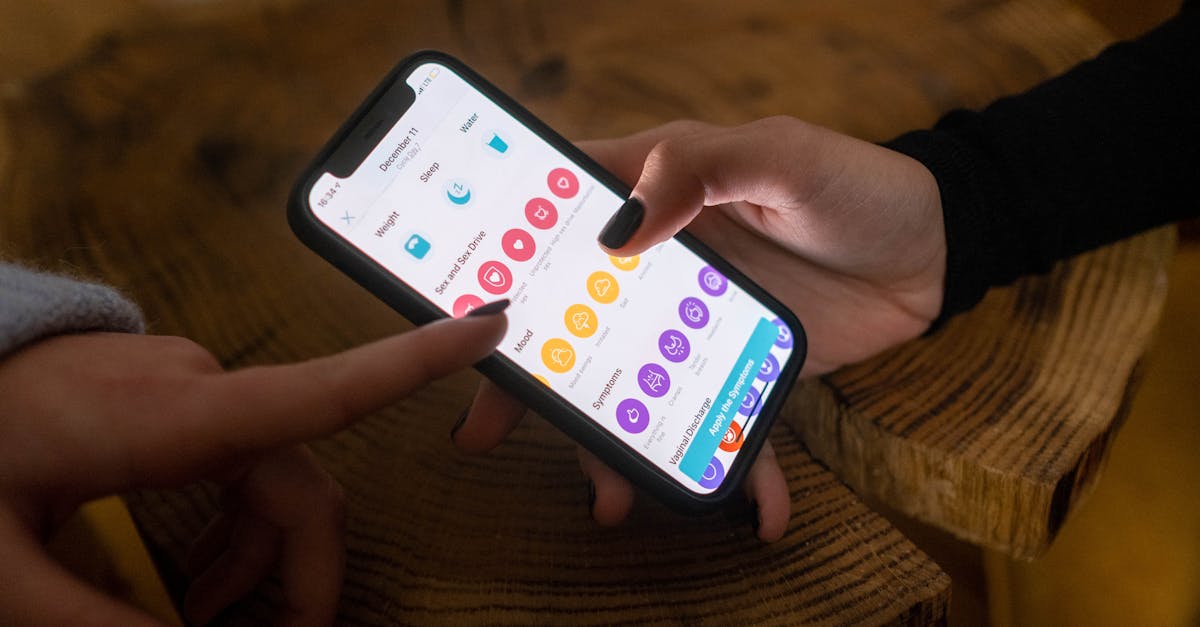
Quick market signals (2023–2025): why users care now
Adoption is high among Millennials and Gen‑Z: a 2024 JMIR study found around 62% of surveyed participants used period‑tracking apps for cycle prediction and symptom management. At the same time, AI features, wearable sync, and predictive tools are rising across the market.
Privacy is becoming a top user demand — market reports show 30–45% of users list privacy as a priority — while regulators in the EU are actively discussing stricter GDPR enforcement and AI rules that will affect app handling of personal data.
How legal flags map to features you can check
Three legal/regulatory flags are especially useful when evaluating apps:
- GDPR rights: export (data portability), erasure (delete), and a lawful basis for processing sensitive data. Apps claiming compliance should show concrete implementations.
- AI training & transparency: With AI features growing, confirm whether personal data is used to train models and whether that is opt‑in or explicitly disallowed.
- Medical/regulatory claims: If an app markets fertility, contraception, or diagnostic capabilities, check for clinical validation or regulatory approvals.
Mapping these flags to product features — like in‑app data export, a clear no‑AI training policy, or clinical study links — helps you make a quick, practical decision.
12‑Step privacy‑first checklist (product features + everyday habits)
This checklist links a legal or regulatory flag to a concrete product feature and a small daily habit. Screenshot it, save it, or use the copy‑paste support questions later to verify claims.
Step 1 — Data controller & hosting location
Feature to look for: an About page that lists the company’s legal name, headquarters, and the country where user data is hosted.
Why it matters: hosting and controller location affect which laws apply (for example, GDPR in the EU). Prefer providers hosted in privacy‑forward jurisdictions (EU/Germany) if legal protections matter to you.
Habit: check the About/Legal page before signing up and take a screenshot of the hosting claim.
Step 2 — Easy data export (portability)
Feature: in‑app export options (CSV/JSON) with clear field mapping so you know what each column means.
Why: portability is a concrete GDPR right and lets you backup your logs or move to another app easily.
Habit: export your data every 3–6 months and review the field names so there are no surprises.
Step 3 — Data deletion & retention
Feature: one‑click account deletion or a clear deletion flow, plus a published retention timeline and confirmation that backups will be removed.
Why: uninstalling an app doesn’t always remove server‑side copies; the right to erasure should be honored in practice, not just in the policy text.
Habit: when you request deletion, ask for written confirmation and screenshot the response.
Step 4 — No AI training on personal data
Feature: explicit policy language and a settings toggle that states “we do NOT use personal data to train AI” or a clear opt‑in flow for any model training.
Why: emerging AI rules and re‑identification risks mean you should know if your sensitive logs could be used to improve models or shared with third parties.
Habit: ask support for written confirmation before you enter highly sensitive entries (sexual activity, TTC notes).
Step 5 — Local‑only or client‑side storage option
Feature: an option to keep data only on your device (local‑only), or end‑to‑end encrypted cloud sync where the provider cannot read your data.
Why: local or E2E storage reduces the attack surface and third‑party server exposure.
Habit: enable local‑only mode if privacy is your priority and maintain a secure backup separately if needed.
Step 6 — Minimal collection & purpose limitation
Feature: clear separation of required versus optional fields and an ability to skip sensitive categories (sexual activity, TTC details).
Why: collecting less data means less risk. Purpose limitation means data is used only for stated features (not advertising) unless you opt in.
Habit: only enter what you want tracked; use tags or prefilled categories instead of free‑text for sensitive notes.
Step 7 — Private widgets & discreet notifications
Feature: widgets that show generic or blurred info and discreet notification text plus quiet‑hours controls so lockscreen exposure is minimized.
Why: on shared phones or in public, a visible notification can reveal sensitive status — discreet modes prevent accidental exposure.
Habit: enable private mode, customize widget content to generic labels, and test notifications while someone else holds your phone if you’re unsure how they appear.
Step 8 — Authentication & device security
Feature: support for FaceID/TouchID, optional PIN, and inactivity auto‑logout to add an app‑level lock beyond your device passcode.
Why: layered security reduces the chance that someone with temporary access to your phone can read sensitive logs.
Habit: enable biometrics, set a secure device passcode, and keep your OS up to date.
Step 9 — Transparency: readable privacy policy & summary
Feature: a short “privacy highlights” summary plus a full, searchable privacy policy and a changelog for updates.
Why: accessible language helps you assess risk quickly and spot changes that affect your rights.
Habit: read the highlights before consenting; if the policy is jargon‑heavy, paste questions to support (see the list below).
Step 10 — Third‑party sharing & SDK visibility
Feature: a published list of third‑party vendors and SDKs (analytics, ads, cloud providers) with opt‑out choices for analytics and ads.
Why: SDKs are a common source of data leakage to advertising or analytics platforms. A full vendor list reveals where your data might flow.
Habit: avoid apps that embed ad networks or opt out of analytics when possible.
Step 11 — Transparent research opt‑in (optional)
Feature: clear, revocable opt‑in for anonymized research with specific details on how data is de‑identified and how you revoke consent.
Why: contributing to research can be valuable, but anonymization claims should be concrete and reversible.
Habit: only opt in if you understand the revocation process and what “anonymized” means in practice.
Step 12 — Support responsiveness & legal contact
Feature: visible support channels, a named Data Protection Officer or privacy contact, and stated SLAs for export/delete requests.
Why: operational readiness matters — a policy is only useful if support responds quickly when you request export or deletion.
Habit: send a quick privacy question before logging sensitive entries to test response time and clarity.

Copy‑paste questions to ask app support
Use these exact lines by email or chat. Ask for written replies, save the responses, and screenshot them for your records. Prioritize the first three to test responsiveness.
- “Where is user data hosted (country and provider)? Please give the data controller’s legal name.”
- “Do you offer data export? If yes, what formats (CSV/JSON) and which fields are included?”
- “If I request account deletion, what exactly is deleted, and within how many days will data be removed from backups?”
- “Do you use user data to train machine‑learning models? If yes, is that opt‑in and how is data anonymized?”
- “Is there an option to store all my data only on my device (no cloud sync)? How do I enable it?”
- “Which third‑party services or SDKs do you use that could access user data (analytics, ads, cloud)? Please list vendors.”
- “Do you classify menstrual/fertility features as medical devices or provide clinical validation? If so, please share approvals or studies.”
- “Who is your Data Protection Officer or privacy contact? Please provide email and expected SLA for privacy requests.”
- “How do you handle minors (if teen users) and parental consent?”
- “Can I opt out of research/data‑sharing and still use premium features?”
How to use them: paste into the app’s chat or an email, ask for straightforward answers, and save replies in case you need to escalate or make an informed choice.
Short FAQ: quick answers to common privacy questions
Is period data legally “health data”? Often yes or health‑adjacent — many privacy laws treat fertility and menstrual logs as sensitive. Check whether the app explicitly classifies the data or depends on local law.
Can apps share my data with advertisers? Possibly. Look for ad SDKs, an explicit “no sharing” statement, or opt‑out toggles for analytics and advertising. If an app uses ad networks, expect some data flow unless blocked.
Does deleting the app delete my data? Not necessarily. Deleting the app from your phone often doesn’t remove server copies. Use the app’s account deletion flow and confirm with support that backups will be purged.
Are AI predictions safe for contraception or TTC? Use caution. No app should be used as your only method for contraception or clinical decisions unless it has clinical validation and appropriate approvals. When in doubt, consult a clinician.
How to use this checklist for TTC, PCOS, or first‑period tracking
Tailor the checklist depending on your life stage:
- TTC: clinical validation and accuracy claims matter more — prioritize apps with clinical studies and clear regulatory statements.
- PCOS or chronic conditions: minimal collection and exportability are key so you can share reliable logs with clinicians without oversharing.
- First‑period/teens: minimal collection, parental‑consent handling, and discreet notifications are priorities — avoid apps that require unnecessary personal details.
Practical examples: if privacy‑sensitive, skip free‑text sexual activity notes and use generic symptom tags. If you plan to share logs with a clinician, export to CSV/JSON and remove personally identifying text entries first.
Gentle reminder: this is informational, not medical advice. Consult health professionals for clinical concerns.
Expert sources & where to read more
- JMIR (2024) — study on period app usage and motivations: adoption and symptom management insights.
- Saini & Saxena (arXiv, 2024) — analysis of privacy and security practices in reproductive health apps.
- Investigative reporting (The Guardian, 2025) — on risks and regulatory gaps in fertility app claims.
- Industry market snapshots (2024–2025) — growth of femtech and rising user demand for privacy features.
Policies and rules are evolving — re‑check app policies and regulatory updates regularly (2024–2025 changes have been active in the EU and industry standards).
Privacy highlights: 3 must‑check features
Before you sign up, screenshot this quick list:
- Local storage option: Can you keep data only on your device or use end‑to‑end encrypted sync?
- Export & delete: Does the app let you export CSV/JSON and fully delete server copies (with confirmation)?
- No AI training: Is there an explicit policy that personal data will NOT be used to train AI models (or is it opt‑in)?
These three checks cover legal rights, practical control, and future AI‑related risks.
Final checklist & next steps
Quick action plan:
- Ask 3 copy‑paste questions to support (hosting, export, deletion) to test responsiveness.
- Enable private widgets and discreet notifications, and turn on biometric unlock.
- Run an export and store a secure backup; request deletion if you ever stop using the app and save the confirmation.
If you’d like a downloadable checklist or a printable PNG you can screenshot, reply and I’ll prepare one for you.
Tracking your cycle can be empowering and helpful — with a few privacy checks and small habits, you can keep your data private and intentional.
Conclusion
Privacy‑first period tracking is achievable: use this 12‑step checklist to quickly evaluate apps, ask clear questions, and adopt simple habits that protect your sensitive information. Small steps — exporting regularly, enabling local storage, testing support responsiveness, and using discreet widgets — go a long way toward keeping your menstrual data private and under your control.
Try App
Learn what App does, browse features, and get support resources.
Frequently Asked Questions
- Is my period data considered health data under privacy laws?
- Often yes — menstrual and fertility logs are treated as health‑adjacent or sensitive personal data in many privacy laws (for example, GDPR considers similar data sensitive). Check an app’s privacy policy for how it classifies menstrual information and what legal basis it uses; if the policy is unclear, ask support for a written explanation and prefer apps that label this data as sensitive and offer stronger protections.
- Will deleting the app delete my data from the company servers?
- Not automatically — deleting the app from your phone usually does not remove server‑side copies. Use the app’s account deletion or data‑erasure feature, request confirmation in writing, and check the stated retention timeline; under GDPR you can request full deletion and a data export first. If the process is unclear or slow, contact the app’s privacy contact or DPO before uninstalling.
- Can an app use my period logs to train AI models?
- Yes, apps can use user data to train AI if their policy allows it, unless you’ve explicitly opted out or the app states it does not train models on personal data. Look for a clear policy line like “we do NOT use your data to train AI” or an opt‑in for research/ML, and ask support how data is anonymized, what models use it, and whether that use can be revoked.
- How can I tell if an app shares my data with advertisers?
- Look for an explicit list of third‑party vendors or SDKs in the privacy policy and a clear statement about advertising or analytics sharing. If the app uses ad networks or analytics SDKs, it may share identifiers or event data unless you opt out. Ask the vendor which partners receive data, request an opt‑out, and prefer apps that offer an analytics‑free or paid, ad‑free option.
- Should I trust apps that claim clinical accuracy for contraception or TTC?
- Be cautious — don’t rely solely on an app for contraception or fertility decisions unless it provides transparent clinical validation and regulatory approval. Ask for published studies, regulatory clearances (e.g., medical‑device approvals), and peer reviews; if those aren’t available, treat app predictions as supportive information only and consult a healthcare professional for critical decisions.
Written by
LunaraHi, I'm Lunara. I was tired of wellness tools that felt like chores, or worse, like they were judging me. I believe your body already knows what it needs. My job is just to help you listen. Whether you're tracking your cycle, building a morning routine, or simply trying to understand why Tuesdays feel harder than Mondays — I'm here to be a quiet companion, not a demanding coach. I care deeply about your privacy. Your data stays yours. I'll never sell it, never train AI on your personal moments, and I'll always give you a way out if you need one. Some things are just between you and your journal. When I'm not thinking about cycle phases and habit streaks, you'll find me advocating for women's health literacy, learning about the science of rest, and reminding people that "good enough" is actually good enough. I'm so glad you're here. 🌙