Safe AI Summaries for Period Journals: Privacy Guide
Updated on

Safe AI summaries for period journals: Privacy guide
AI summaries for period journals can make your menstrual notes more useful without giving away your privacy. You can get helpful, private summaries by choosing a tiered approach: on-device processing for the strongest privacy, GDPR-hosted services for synced, powerful models with contractual protections, or a manual/local workflow if you want zero cloud AI. Use the prompts, templates, and the checklist below to enable AI insight while minimizing data exposure.
This post explains why privacy matters, walks through three hands-on workflows (on-device, GDPR-hosted, manual), offers copy/paste prompts and clinician-friendly exports, and ends with a concise privacy checklist so you can enable AI summaries confidently.
Why privacy matters for menstrual journaling
Period tracking and journaling are mainstream: younger cohorts widely use trackers to predict cycles, log symptoms, track mood, and plan pregnancy (research from JMIR and Oxford highlights high adoption among Millennials and Gen Z). That makes your notes valuable for self-awareness — and attractive to advertisers or third parties if shared.
Risks include data-sharing with analytics and marketing vendors, weak retention limits, or legal exposure in jurisdictions where reproductive data can be subpoenaed. Choosing private-by-default options reduces those risks while still letting you enjoy AI-powered summaries that surface trends without turning notes into medical advice.
Think of AI insights as a tool for reflection and planning — supportive, not diagnostic. Keep language non-judgmental in your notes and use summaries to spot patterns you can discuss with a clinician if needed.
Quick definitions: on-device, GDPR-hosted, and manual workflows
Here are short, plain-language definitions and the trade-offs at a glance.
- On-device: All processing happens on your phone. Best privacy, limited cloud sync and heavy computation.
- GDPR-hosted (privacy-first cloud): Data is stored and processed on EU/GDPR-compliant servers with contractual promises (no training, export/deletion rights). Good balance for multi-device users who want stronger models.
- Manual/local: No cloud AI. You keep encrypted local notes and write human summaries. Maximum control, more time required.
At a glance: on-device = strongest privacy and offline; GDPR-hosted = sync + stronger AI at modest legal/contractual risk; manual = zero cloud AI but labor-intensive. Pick based on your risk tolerance, need for sync across devices, and desire for automated insights.
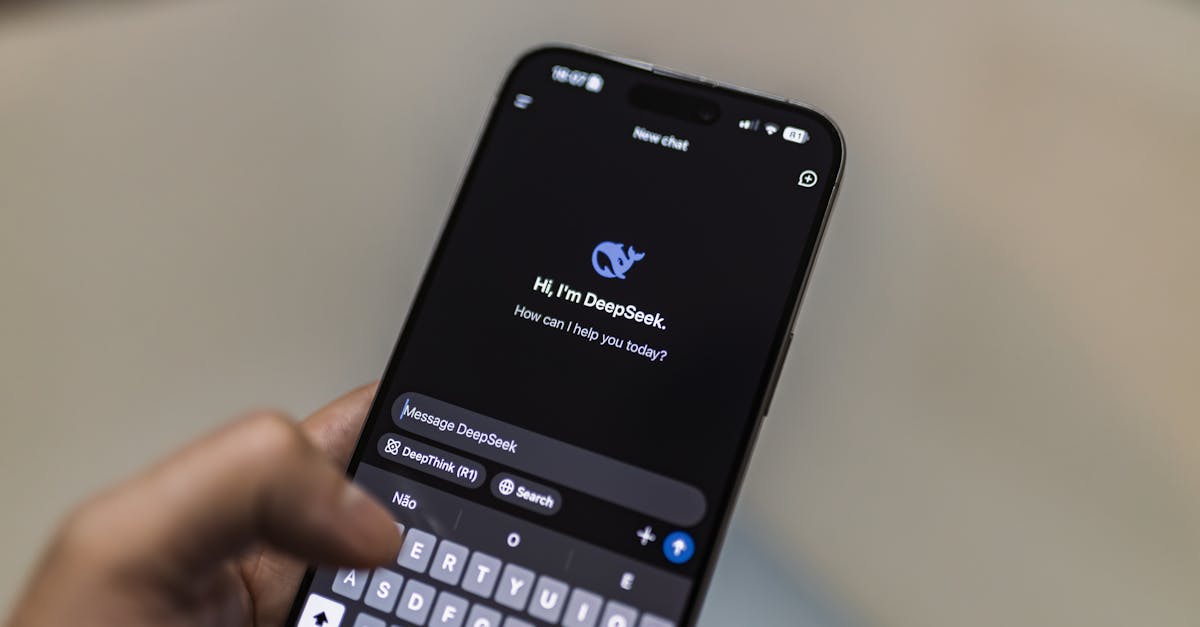
Tier 1 — On-device AI: best for privacy
On-device AI means your device runs the model locally so your text never leaves the phone. This is the safest option when privacy is the priority: no server logs, no cloud-training risk, and fewer legal exposure points.
How to use on-device summaries (non-technical step-by-step)
- Install an app or enable the phone feature that supports "local summaries" or "on-device AI." Look for a setting called "local processing" or similar and turn it on.
- Journal regularly. Keep entries short (2–5 sentences) and use a couple of consistent symptom keywords like "cramps," "heavy flow," or "insomnia."
- Run a local summary: tap “Summarize cycle” or “Month highlights.” The app returns a brief, on-device summary (e.g., a 3–5 bullet snapshot of symptom peaks and mood patterns).
- Export encrypted backups if you want extra control: create a password-protected file you store locally or on your personal encrypted drive.
Practical tips for better on-device summaries
- Write concise daily notes: 1–3 quick lines are enough to build patterns.
- Use consistent tags or words for symptoms and energy (e.g., "energy 2/5").
- Include short context lines: “traveling,” "new med," or “less sleep” to help the model link habits to symptoms.
Pros: Highest privacy, works offline, minimal legal exposure. Cons: Device compute limits may reduce NLP depth; backups are user-managed.
Quick example flow: Journal → Local summary → Cycle snapshot (3–5 bullets)
Tier 2 — GDPR-hosted, privacy-first cloud: balanced option
GDPR-hosted processing means your journal data is stored and processed on servers in the EU (or a similar jurisdiction) under GDPR. When combined with a provider commitment not to use your content to train models, this setup offers a strong balance between privacy and the power of cloud AI.
Why GDPR-hosted matters
EU/GDPR hosting helps by requiring clearer user consent, data subject rights (export, deletion), and contractual obligations for processors. Providers that explicitly promise not to train models on your data and that offer DPA (data-processing agreements) lower the chance your private notes are used for other purposes.
How to choose a provider
- Check the privacy policy for: data location, retention period, third-party subprocessors, and law‑enforcement request handling.
- Look for explicit statements like “we do not use user content to train our models” or an option to opt out of training.
- Confirm export & deletion tools, and that encryption is used in transit and at rest.
Step-by-step: enabling GDPR-hosted summaries
- Create an account and review the provider’s privacy policy and DPA. Verify EU hosting if that’s important to you.
- Enable summaries in app settings, then set granular permissions: opt out of marketing, turn on encrypted transport, and enable quiet hours for private notifications.
- Request cycle-level outputs with non-medical phrasing (examples below), and periodically export/delete data per your retention preferences.
Pros: Stronger models, multi-device sync, professional infrastructure. Cons: Requires trust in vendor promises and careful policy review.
Tier 3 — Manual/local workflow: zero cloud exposure
Manual/local means no cloud AI at all. You keep encrypted notes and write summaries yourself or have a trusted clinician review raw entries. This is the best choice for users in high‑risk legal contexts or anyone who wants maximum control.
Step-by-step manual workflow
- Choose a secure journaling app or encrypted note tool that stores data locally and allows exports (e.g., an encrypted note or password-protected PDF).
- Set a weekly review ritual (10–20 minutes): read the last 7–14 entries and write a "Cycle snapshot" with 3 bullets — top symptoms, mood trend, and actions to try.
- Use a local spreadsheet for trend charts (cycle length, symptom counts, energy scores) and keep local encrypted backups on your personal drive.
Clinician-friendly export template
Use this factual, non-diagnostic template when you want to share summaries:
Cycle snapshot (dates): total days, average flow, top 3 symptoms (with typical severity), mood notes, medications taken, and notable events.
Pros: Maximum control and straightforward clinician export. Cons: Time-consuming and no automated pattern-finding.

Ready-to-use journaling prompts and AI summary templates
Copy these prompts into your app or use them as a model for on-device or GDPR-hosted summaries. Keep language non-medical and focused on observable facts.
Short daily journaling prompt
“Morning quick note: 2–3 lines about sleep, energy (1–5), mood, and any physical symptoms.”
Template example: “Slept 6h. Energy 3/5. Mood anxious + tearful. Cramping mild. Skipped gym.”
AI summary prompts (cycle-level)
- “Summarize my last cycle (start date — end date) in 4 bullets: top 3 symptoms and when they peaked, mood pattern across phases, and one small habit to try next cycle. No medical advice.”
- “Give a 3‑sentence highlights view of my last 3 months: recurring patterns, any symptom–habit links, and one supportive self-care suggestion.”
Exploratory prompts for deeper pattern-finding
- “List recurring symptoms that appear in the luteal phase across my last 6 cycles and any habits that coincide with higher symptom scores.”
- “Extract the 5 most common words I used in my notes this month and summarize what they suggest about my energy and sleep.”
Clinician-friendly export wording
“Cycle snapshot (dates): total days, average flow, top 3 symptoms, mood notes, meds taken. See attached short summaries per cycle. Note: these are user-generated summaries and not clinical diagnoses.”
Privacy checklist: what to check before enabling AI summaries
Use this concise checklist before you turn on any AI summarization feature.
- Storage location: Is data stored on-device, GDPR-hosted, or elsewhere? Prefer on-device or EU/GDPR hosting.
- Training/usage clause: Can the provider use your notes to train models? Opt out whenever possible.
- Third-party sharing: Who are the subprocessors? Does the policy permit advertising use or sale of data?
- Law-enforcement risk: What happens on legal requests? Check the provider’s transparency report or policy.
- Encryption & security: Is data encrypted in transit and at rest? Enable biometric or passcode app locks.
- Export & deletion: Can you export your data and delete it permanently? Test the flow.
- Content hygiene: Avoid full legal names, ID numbers, and other identifying details in entries.
- High-risk contexts: If you’re in a jurisdiction with legal risk, prefer on-device storage, minimal metadata, and encrypted local backups.
How to use summaries safely with a clinician
Summaries are helpful to prepare for appointments, track medication effects, or show cycle-level changes over time. When sharing, include raw data or cycle-level exports so the clinician sees the supporting details.
Label any AI-generated text as "user-generated/AI-assisted" and include dates and the original entries if possible. Make it clear the summary is for context and not a medical diagnosis — clinicians can use the factual notes to inform care.
If a concern is urgent or severe (heavy bleeding, sudden severe pain, fainting), seek medical care immediately rather than relying on summaries.
Limitations, ethics, and verifying privacy claims
AI summarizes correlations in your entries, not medical diagnoses. Accuracy depends on how often and clearly you write. Less data or inconsistent tagging reduces usefulness.
Privacy labels like “GDPR-hosted” or “privacy-first” reduce risk but are not absolute guarantees. Check data retention periods, subcontractors, and whether providers will comply with legal requests in their jurisdiction.
Ethically, avoid sharing other people’s data in your journal and be mindful of sensitive content. If you use a shared device, enable app-level locks and private widgets to prevent accidental exposure.
Quick recap and next steps
Three practical options:
- On-device: Best for privacy and offline use — choose this if legal risk or privacy is your top concern.
- GDPR-hosted: Balanced: better AI and sync with contractual protections — good if you want convenience + privacy guarantees.
- Manual/local: Zero cloud AI, maximum control — ideal for high-risk scenarios or when you prefer human summaries.
Try a small experiment: enable an on-device summary for one cycle or run a GDPR-hosted summary and export/delete the data afterward. Use the prompts and checklist above to get started safely.
Looking for printable resources? Consider saving the privacy checklist and prompts as quick reference cards for your journal.
FAQ
- Will AI replace my doctor?
- No. AI summaries support self-awareness and conversation with clinicians but are not diagnostic.
- How private is my menstrual/journal data?
- On-device storage is most private; GDPR-hosted options reduce risk via contractual protections; other cloud providers may have higher legal or commercial exposure.
- Can AI find patterns in free-text notes?
- Yes. Keyword extraction, sentiment, and simple clustering can surface recurring symptoms and potential habit links, but quality depends on entry frequency and clarity.
- What should I log?
- Period start/end, flow, symptoms, mood, energy, sleep, medications, and notable events. Short, regular notes work best.
Conclusion
AI summaries can make menstrual journaling more actionable while protecting your privacy if you pick the workflow that matches your needs. On-device gives the strongest privacy, GDPR-hosted offers a balanced mix of power and protections, and manual/local gives you total control. Use the prompts, templates, and checklist here to try one approach for a cycle and adjust from there — small experiments are the gentlest way to find what feels safe and useful for you.
Try App
Learn what App does, browse features, and get support resources.
Frequently Asked Questions
- Will AI summaries replace my doctor?
- No — AI summaries for menstrual journaling (privacy-first) are tools for self‑awareness, not medical diagnosis or treatment. They can help you spot patterns to discuss with a clinician, but they don’t replace professional assessment. Always share concerning symptoms or sudden changes with a healthcare provider and treat AI output as supportive context, not medical advice.
- How private is my menstrual journal data if an app says it’s GDPR-hosted?
- GDPR-hosting is a strong privacy signal because it means data is stored under EU protections, contractual safeguards, and data‑subject rights like export and deletion. However, it’s not absolute: check whether the provider forbids using your text to train models, who the subprocessors are, retention rules, and whether encryption is used in transit and at rest.
- How often should I write to get useful AI summaries?
- Aim for daily or near‑daily short entries (even 1–3 lines) for the clearest longitudinal signal; that frequency helps AI detect recurring symptoms, mood shifts, and habit links across cycles. If daily isn’t realistic, consistent weekly notes still produce useful summaries, but more frequent notes improve pattern detection and summary accuracy.
- Can AI summaries identify medical conditions from my notes?
- No — privacy-first AI summaries can surface correlations and recurring symptoms but cannot reliably diagnose medical conditions. They can highlight patterns to bring to a clinician, yet only a trained healthcare professional can interpret symptoms and order tests. Treat AI findings as prompts for conversation, not clinical conclusions.
- What do I do if I’m worried my data could be requested by law enforcement?
- If you’re concerned about legal access, prefer on‑device storage or choose services with clear GDPR hosting, strong encryption, and explicit policies on law‑enforcement requests. Review the provider’s transparency reports, export and deletion options, and minimize sensitive details in entries; consult a legal expert if you’re in a high‑risk jurisdiction for tailored advice.
Written by
LunaraHi, I'm Lunara. I was tired of wellness tools that felt like chores, or worse, like they were judging me. I believe your body already knows what it needs. My job is just to help you listen. Whether you're tracking your cycle, building a morning routine, or simply trying to understand why Tuesdays feel harder than Mondays — I'm here to be a quiet companion, not a demanding coach. I care deeply about your privacy. Your data stays yours. I'll never sell it, never train AI on your personal moments, and I'll always give you a way out if you need one. Some things are just between you and your journal. When I'm not thinking about cycle phases and habit streaks, you'll find me advocating for women's health literacy, learning about the science of rest, and reminding people that "good enough" is actually good enough. I'm so glad you're here. 🌙