Covert Period Tracking: Coded Journals & Low‑Tech Tips
Updated on

Introduction
Covert period tracking is the practice of recording menstrual cycle signals in ways that don’t look like period data to anyone who might see your phone or belongings. Use low‑tech entries, coded journals, discreet habit grids, and simple iPhone privacy steps to keep a private record without obvious language or cloud traces.
Prioritize paper when devices are compromised, lock sensitive notes when your device is safe, choose neutral codewords, and have a disposal or “burn” plan. This guide explains why privacy matters, offers trauma‑informed templates and low‑tech systems, lists iPhone privacy and safe‑export steps, and finishes with a printable safety checklist and sample codewords.
Why menstrual privacy matters right now
Recent research and reporting have made clear that cycle data is both sensitive and commercially valuable. Academic work and reports (e.g., Cambridge/Minderoo 2025) describe cycle apps as a “gold mine” for advertisers. Studies presented at CHI 2024 and other reviews found inconsistent privacy practices across many female‑health apps.
Practical risks include targeted advertising that reveals sensitive patterns, employment or insurance profiling, and the possibility that data held by a company could be requested in legal processes. Regulators such as the FTC have taken action in some high‑profile cases, which shows both the problem and the growing scrutiny.
These systemic issues don’t mean you must stop tracking, but they do make safer, privacy‑first habits important—especially if someone else can access your devices, accounts, or belongings.
When digital tracking is risky: who might access your data
Understanding how data can be exposed helps you choose safer methods. Common vectors include:
- App vendors and embedded SDKs that share analytics or ad data.
- Third‑party analytics and advertising partners.
- Cloud backups and synced accounts that store copies of notes or app data.
- Physical device access: unlocked phones, shared computers, or someone who knows your passcode.
- Legal requests or subpoenas to companies that hold your records.
Even apps that advertise privacy can share or retain more than you expect; research shows complex opt‑outs and weak deletion policies are common. If you suspect active monitoring or spyware, treat digital records as compromised and prioritize low‑tech options and professional safety help.
Low‑tech systems: pocket notebooks, index cards and disposable slips
Paper reduces remote footprints. When device access is possible or you suspect spyware, a small paper system is often the safest choice. Here are practical low‑tech options and how to use them.
Pocket notebook method
Use a small unmarked notebook (pocket size) kept in a neutral place. One line per day is quick and discreet.
- Format: Date | Codeword | 1–3 symbols (e.g., “5/3 — Salad •”)
- Keep the legend (codeword meanings) on a separate slip stored in a different location.
Folded index‑card calendar
Draw a compact month grid on an index card. Mark with tiny symbols rather than words.
- Symbols: dot = period, triangle = PMS, star = ovulation‑feeling.
- Rotate cards between a wallet, a book, and a small jar so no single place holds every card.
Disposable slips
Write on receipt‑sized slips or tear‑off notes that can be quickly destroyed if needed. These are useful for short‑term tracking and emergency disposal.
Concealment tips
- Use neutral covers: a recipe book, grocery list, or plain stationery will not look like a health log.
- Disguise entries as shopping lists, mood notes, or work to‑dos.
- Rotate storage locations and keep the most sensitive legend separate.
- Create a burn/tear plan: have a small lighter or shredding spot ready if you ever need to destroy paper quickly.
Tradeoffs: paper avoids cloud leaks but risks physical discovery. Choose based on who might search your things and how easily you can dispose of the physical record.
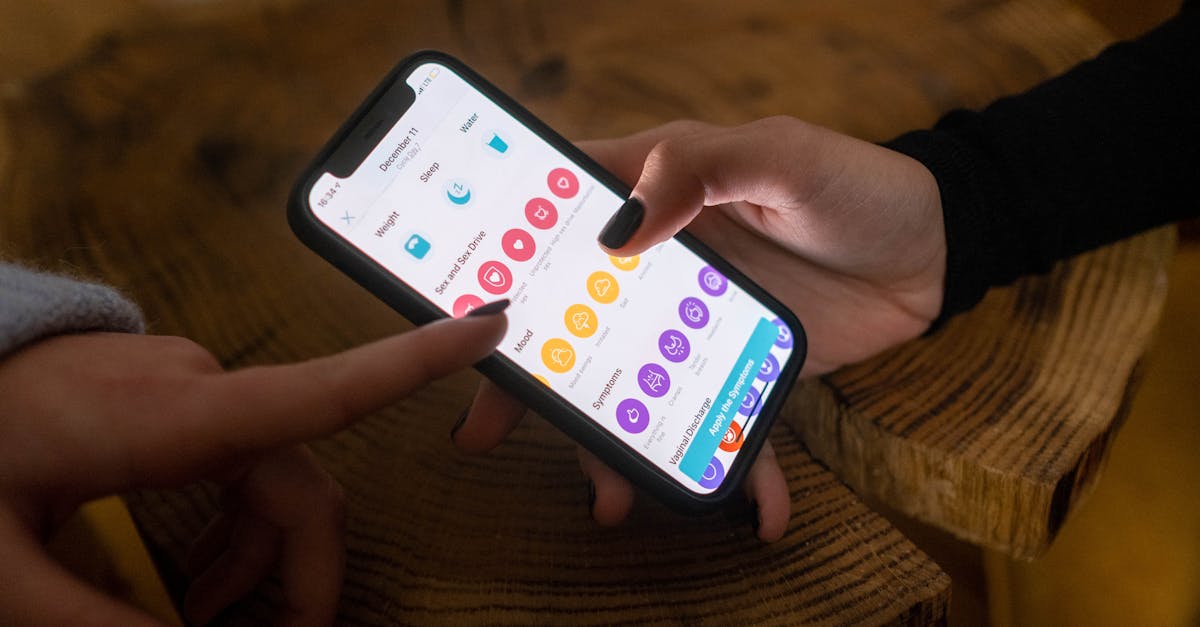
Coded journaling templates you can use tonight
The dual‑use principle means your entry reads as general wellness or productivity, while a private code maps fields to cycle signals. Keep templates short and consistent so you can use them habitually without attracting attention.
Compact trauma‑informed daily template
Header: Date / Day code (or neutral title)
- Energy: 1–5
- Mood: one word
- Food: short line
- Notes/Tasks: one line
- Margin symbol: tiny mark to record bleed/spotting
Three sample entries (paper or plain Notes)
- May 3 — Energy 3 • Mood: calm // Food: Salad / Walk 20min — margin: small leaf
Visible meaning: a brief wellness note. Private meaning: “Salad” = ovulation; leaf symbol = day of higher temperature or a specific symptom.
- May 18 — Energy 2 • Mood: snappy // Food: Soup / Tea — margin: hash
Visible meaning: short note about food and mood. Private meaning: hash = bleed/period day 1; “Soup” is a codeword for period start.
- June 1 — Energy 4 • Mood: bright // Food: Sandwich / Run ✓ — margin: star
Visible meaning: productivity log. Private meaning: star = ovulation feeling; “Sandwich” maps to mid‑cycle.
Tips for keeping the legend safe
- Store the legend in a locked place (a separate paper card in a different bag or a locked note on your phone when it’s safe).
- Rotate codewords periodically (every few months) to reduce pattern recognition risk.
- Keep entries short and neutral; avoid explicit medical terms or recurring obvious phrases.
Discreet habit logs & dual‑use trackers
Habit trackers can quietly capture cycle signals when framed as general wellness. Choose habits that are normal for your routine and use subtle mark differences to signal cycle events.
Grid idea and marking system
Small grid: columns = days of week, rows = habits. Add one hidden row for cycle markers using innocuous symbols.
- Reframe rows as: Hydrate, Move, Sleep, Journal.
- Marking system: outline circle = habit done; filled circle = habit + possible cycle symptom; tiny leaf in the margin = bleed day.
One‑week sample habit grid
Example (rows left to right):
Mon  Tue  Wed  Thu  Fri  Sat  Sun
H ●    ○    ●    ●    ○    ●    ●  (Hydrate)
M ○    ●    ●    ●    ○    ●    ○  (Move)
S ○    ○    ●    ●    ●    ○    ●  (Sleep)
J ●    ●    ●    ○    ●    ●    ●  (Journal)
C •    ·    ·    ·    •    ·    ·  (Cycle markers: • = bleed)
Interpretation: you privately map filled/outlined and the C row to your cycle patterns later. The grid looks like a normal habit tracker to an outside reader.
Sample codewords and simple cipher ideas
Pick neutral themes that fit your life. Rotating themes helps avoid obvious patterns. Keep the legend private and simple.
Guidelines
- Choose words that blend with normal notes (food, plants, weather).
- Keep mapping short — 3–4 core words and 3 symbols.
- Store the legend separately from daily entries.
Three theme sets with mappings
- Plant theme: Leaf = period start; Seed = ovulation; Bloom = high energy.
- Food theme: Soup = bleed start; Salad = fertile/ovulation; Sandwich = mid‑cycle.
- Weather theme: Cloudy = low energy/PMS; Windy = ovulation‑feeling; Sunny = high energy.
Simple symbol cipher
- • (dot) = period day 1
- - (dash) = spotting
- △ (triangle) = ovulation feeling
- * (asterisk) = particularly high energy day
Example dual‑use entry that looks like a food note: “June 10 — Salad // Energy 3 // Walk ✓ (△)” — a reader sees a food + wellness line; you see salad + triangle = ovulation‑feeling.

Digital covert options (only if you’re sure your device is safe)
Important caveat: if you suspect spyware or that someone can access your device remotely, stop using digital tracking and shift to low‑tech. Digital steps are only appropriate when you control device access and trust your environment.
Practical iPhone steps
- Lock Notes: Use your device passcode/FaceID to lock sensitive notes. Apple Notes supports note‑level locking and encryption—use it for any text that could reveal cycle info.
- Hide apps: Remove obvious apps from your Home Screen and put them in the App Library or neutral folders.
- Disable lock screen previews: turn off notification previews for sensitive apps so content isn’t visible when a phone wakes.
- Manage permissions: review app permissions and limit access to location, contacts, and Health data where possible.
- Use neutral filenames and folders: exports named “recipes.pdf” or “work_notes.txt” attract less attention than “period_export.pdf.”
For step‑by‑step guidance on locking Notes and other iOS settings, consult official Apple support resources and up‑to‑date privacy guides. Remember: built‑in protections are helpful but not foolproof if someone has physical access or installed spyware.
Safe export, transfer and deletion habits
Export only when necessary and prefer local, encrypted transfer. Assume cloud services may retain copies or be subject to legal requests.
Safe export options
- AirDrop to a trusted device using Contacts‑Only (local transfer).
- Create an encrypted zip with a strong password before moving files.
- Transfer to an encrypted external drive or a device you control offline.
Post‑export hygiene
- Empty Recently Deleted folders and clear app caches where applicable.
- Turn off automatic cloud backups temporarily while handling sensitive exports.
- Be aware backups (device backups, cloud snapshots) can retain copies—consider the jurisdictions and policies of services you use.
- Keep a simple emergency wipe plan for both paper and digital records.
Quick safety checklist: printable one‑page
Use this short checklist as a quick reference or print it for your emergency binder.
- Assume apps can leak data; prefer paper for high risk situations.
- Keep a small pocket notebook or index cards for day‑to‑day entries.
- Lock sensitive notes and use neutral file names for exports.
- Hide or remove obvious apps from Home Screen; clear recent app history/screenshots.
- Avoid cloud exports unless the service offers explicit end‑to‑end encryption and you trust the jurisdiction.
- Have a burn/tear plan for paper and an emergency digital wipe plan.
- If you suspect spyware or immediate danger, switch to low‑tech and seek professional safety planning—do not rely on simple settings changes.
Keep a low‑tech backup (paper or encrypted USB) in a trusted location and rotate storage locations periodically.
Trauma‑informed language and next steps
Write entries kindly and without judgment. Simple prompts like “Energy today: 2 — took a walk” keep language neutral and supportive while still useful for pattern spotting later.
Choose the methods that match your risk level. If you are in immediate danger from a partner or family member, contact local crisis resources or a trusted professional—this post does not replace safety planning with trained advocates.
Key sources that inform this guidance include Cambridge/Minderoo (2025), CHI 2024 research from King’s College London and UCL, FTC reporting on enforcement, and Apple Support documentation for iOS privacy features.
Resources: sample templates and codeword cheat sheet
If you prefer printable assets, prepare a separate locked copy of the legend and keep templates on paper or in a locked note on a trusted device. Below are quick copy/paste templates you can start using tonight.
Copy/paste daily template
Date: _______
Energy: 1–5
Mood: _______
Food: _______
Notes/Tasks: _______
Margin symbol: (• / - / △ / *)
Quick codeword cheat sheet (pick one family)
Plant: Leaf = period start | Seed = ovulation | Bloom = high energy
Symbols: • = day 1 | - = spotting | △ = ovulation feeling | * = high energy
Store these templates separately from daily entries and rotate codewords every few months. If you want printable PDFs or formatted assets, consider saving them to an encrypted drive or printing a single card to keep in a secure location.
Conclusion
Covert period tracking blends low‑tech and careful digital habits to keep your cycle information private. Use paper systems when risk is high, and rely on locked notes, neutral file names, and safe export methods when your device is secure.
Small, consistent systems—coded daily entries, a simple habit grid, and a trustworthy disposal plan—let you keep useful records without obvious language or cloud exposure. If you are worried about immediate safety or spyware, prioritize in‑person safety planning and professional help.
Protecting your privacy is about choices: pick the tools and routines that fit your context, keep legends separate, and rotate codes. If you’d like printable templates or a one‑page checklist in PDF, say the word and I’ll prepare them for you.
Try App
Learn what App does, browse features, and get support resources.
Frequently Asked Questions
- Is paper really safer than an app for covert tracking?
- Yes — paper is often safer from remote collection because it creates no cloud logs, advertising IDs, or third‑party SDK traces. That said, paper carries physical discovery risks, so use neutral covers, small pocket notebooks, disposable slips, or hidden storage and rotate locations. Choose the method that best fits your immediate safety needs and have a simple “burn” or disposal plan if you feel threatened.
- How can I hide cycle entries on my iPhone without deleting my notes?
- Use Apple Notes’ Lock feature to password‑protect sensitive entries, hide the Notes app from the Home Screen (App Library or a neutral folder), and disable lock screen previews for notifications. Also clear recent app lists and screenshots, turn off iCloud sync for that note if you need local‑only storage, and use neutral filenames or dual‑use wording so entries look like generic wellness or food logs.
- What should I do if I suspect spyware on my device?
- If you suspect spyware, assume digital records may be exposed and switch to low‑tech tracking immediately; stop using obvious apps and move sensitive data offline. Seek help from a trusted tech professional or a domestic violence/abuse support service for device scanning and safety planning, and avoid trying complex removals alone if your situation feels dangerous — prioritize personal safety over data recovery.
- How can I safely export my tracking data if I must?
- Avoid cloud exports when possible; prefer encrypted local transfers such as AirDrop to a trusted device (contacts‑only), an encrypted zip with a strong password, or moving files to an encrypted external drive. After transfer, securely delete originals and empty Recently Deleted, be aware backups may still contain copies, and only use third‑party services that explicitly state end‑to‑end encryption and clear jurisdictional policies.
- What are some safe codewords I can use that won’t raise suspicion?
- Choose neutral, everyday themes like food (Soup, Salad, Sandwich), plants (Leaf, Seed, Bloom), or weather (Cloudy, Sunny, Windy) and keep a separate private legend. Use simple symbol ciphers (dot = bleed, dash = spotting, triangle = ovulation‑feeling) or embed codewords in dual‑use lines (e.g., “Lunch: Salad // Energy 3”) so a reader sees a food or wellness note while you track cycle meaning privately.
Written by
LunaraHi, I'm Lunara. I was tired of wellness tools that felt like chores, or worse, like they were judging me. I believe your body already knows what it needs. My job is just to help you listen. Whether you're tracking your cycle, building a morning routine, or simply trying to understand why Tuesdays feel harder than Mondays — I'm here to be a quiet companion, not a demanding coach. I care deeply about your privacy. Your data stays yours. I'll never sell it, never train AI on your personal moments, and I'll always give you a way out if you need one. Some things are just between you and your journal. When I'm not thinking about cycle phases and habit streaks, you'll find me advocating for women's health literacy, learning about the science of rest, and reminding people that "good enough" is actually good enough. I'm so glad you're here. 🌙